说清要解决的问题
告诉智能体你的场景、现有资料,以及最后想得到什么。

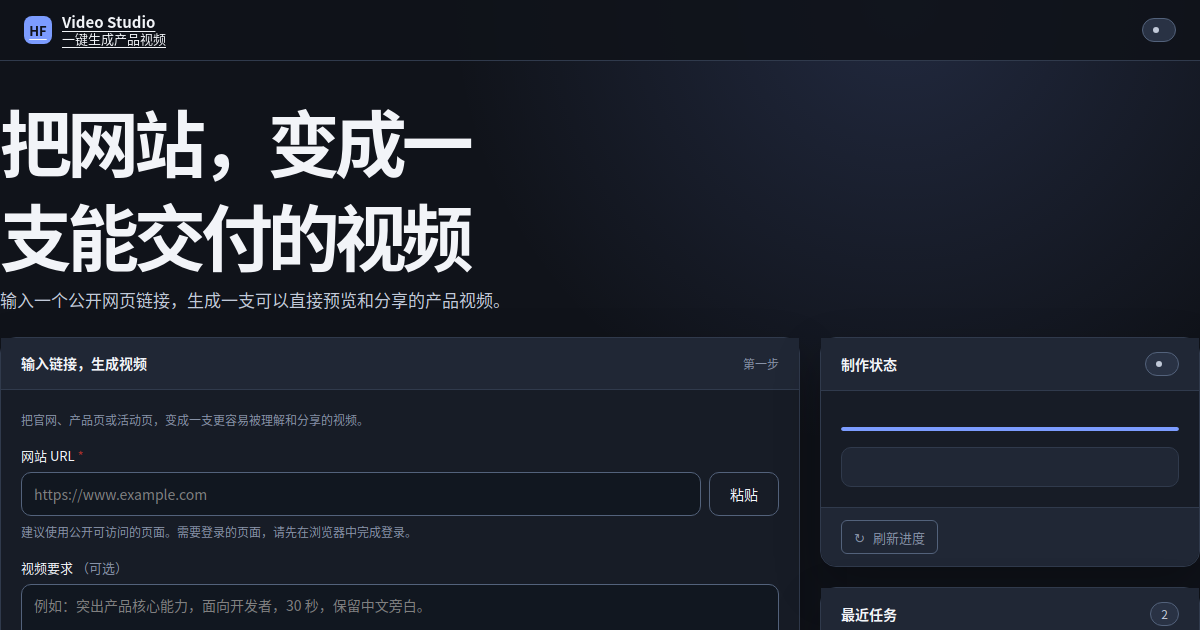
从网页证据出发,让多个智能体协作完成视觉分析、创意规划、分镜、旁白和视频工程构建,再经过渲染验证与质量门禁后交付成片。
下载 Pipora 后,把想调整的内容告诉内置的工作流开发与调试智能体。它会直接修改、运行并排查问题,你不需要学习流程语法或逐项配置参数。
这张图来自当前示例实际运行的工作流。你可以看清任务如何被拆解、处理和检查;想改变其中任何一步,只要在 Pipora 的对话框里告诉 AI。
%%{init: {"flowchart": {"curve": "basis", "nodeSpacing": 34, "rankSpacing": 58}, "theme": "base"}}%%
flowchart TD
  subgraph row0[" "]
    direction LR
    step0["输入 · 工作流输入"]
    step1["脚本 · 初始化 URL 与项目目录"]
    step2["脚本 · 抓取网站"]
    step0 ~~~ step1
    step1 ~~~ step2
  end
  subgraph row1[" "]
    direction RL
    step3["脚本 · 分批截图"]
    step4["工具 · 图片理解"]
    step5["工具 · 图片理解"]
    step3 ~~~ step4
    step4 ~~~ step5
  end
  subgraph row2[" "]
    direction LR
    step6["脚本 · 合并图片理解"]
    step7["脚本 · 整理网站原始证据"]
    step8["智能体 · AI 分析网站证据"]
    step6 ~~~ step7
    step7 ~~~ step8
  end
  subgraph row3[" "]
    direction RL
    step9["智能体 · AI 决定视频视觉方向"]
    step10["智能体 · AI 生成视频 brief"]
    step11["脚本 · 准备创意上下文"]
    step9 ~~~ step10
    step10 ~~~ step11
  end
  subgraph row4[" "]
    direction LR
    step12["智能体 · Agent 创意导演"]
    step13["脚本 · 锁定创意规划"]
    step14["脚本 · 锁定并写入分镜脚本"]
    step12 ~~~ step13
    step13 ~~~ step14
  end
  subgraph row5[" "]
    direction RL
    step15["脚本 · 准备旁白与字幕"]
    step16["脚本 · 准备网站视频工程骨架"]
    step17["工具 · 智能生成 HyperFrames 网站视频代码"]
    step15 ~~~ step16
    step16 ~~~ step17
  end
  subgraph row6[" "]
    direction LR
    step18["脚本 · 固化 HyperFrames 根级契约"]
    step19["脚本 · 结构校验、预览与交付检查"]
    step20["脚本 · 成片质量门禁"]
    step18 ~~~ step19
    step19 ~~~ step20
  end
  subgraph row7[" "]
    direction RL
    step21["脚本 · 渲染视频"]
    step22["脚本 · 渲染后抽帧质检"]
    step23["脚本 · 汇总输出"]
    step21 ~~~ step22
    step22 ~~~ step23
  end
  subgraph row8[" "]
    direction LR
    step24["输出 · 工作流输出"]
  end
  step0 --> step1
  step8 --> step9
  step8 --> step11
  step8 --> step10
  step17 -.-> step18
  step2 --> step23
  step2 --> step3
  step12 -.-> step13
  step4 -.-> step5
  step4 --> step6
  step5 --> step6
  step9 --> step16
  step9 --> step11
  step9 --> step10
  step23 --> step24
  step6 --> step7
  step16 --> step17
  step16 --> step23
  step16 --> step20
  step16 --> step18
  step16 --> step19
  step11 -.-> step12
  step11 --> step14
  step1 --> step17
  step1 --> step2
  step1 --> step23
  step1 --> step16
  step1 --> step11
  step1 --> step20
  step1 --> step21
  step1 --> step7
  step1 --> step13
  step1 --> step10
  step1 --> step18
  step1 --> step14
  step1 --> step19
  step1 --> step22
  step1 --> step15
  step20 --> step23
  step20 --> step21
  step21 --> step23
  step21 --> step22
  step7 --> step8
  step7 --> step9
  step7 --> step11
  step13 --> step17
  step13 --> step23
  step13 --> step16
  step13 --> step20
  step13 --> step14
  step13 --> step22
  step13 --> step15
  step10 --> step17
  step10 --> step16
  step10 --> step11
  step10 --> step20
  step10 --> step14
  step3 --> step4
  step3 --> step5
  step3 --> step6
  step18 -.-> step19
  step14 -.-> step15
  step19 --> step23
  step19 --> step20
  step22 --> step23
  step15 --> step16
  classDef input fill:#e5eff9,stroke:#5085b7,color:#234a70,stroke-width:2px
  classDef agent fill:#dff5eb,stroke:#338566,color:#174936,stroke-width:2px
  classDef tool fill:#fff2cf,stroke:#c08b22,color:#664800,stroke-width:2px
  classDef script fill:#ffead8,stroke:#c66b2c,color:#6b3217,stroke-width:2px
  classDef check fill:#e4f5e7,stroke:#579b61,color:#285b30,stroke-width:2px
  classDef output fill:#e6e9e3,stroke:#54705b,color:#29422f,stroke-width:2px
  class step0 input
  class step1 script
  class step2 script
  class step3 script
  class step4 tool
  class step5 tool
  class step6 script
  class step7 script
  class step8 agent
  class step9 agent
  class step10 agent
  class step11 script
  class step12 agent
  class step13 script
  class step14 script
  class step15 script
  class step16 script
  class step17 tool
  class step18 script
  class step19 script
  class step20 script
  class step21 script
  class step22 script
  class step23 script
  class step24 output
  style row0 fill:transparent,stroke:transparent
  style row1 fill:transparent,stroke:transparent
  style row2 fill:transparent,stroke:transparent
  style row3 fill:transparent,stroke:transparent
  style row4 fill:transparent,stroke:transparent
  style row5 fill:transparent,stroke:transparent
  style row6 fill:transparent,stroke:transparent
  style row7 fill:transparent,stroke:transparent
style row8 fill:transparent,stroke:transparentPipora 内置专门负责工作流开发与调试的智能体。你只需描述目标和要求,它会在本地构建、运行、定位问题并继续调整,不需要学习工作流语法,也不用逐项研究参数。
告诉智能体你的场景、现有资料,以及最后想得到什么。
智能体会修改整套流程并实际运行;不满意的地方,继续对话就能调整。
构建完成后,输入、运行过程和结果都有专属界面,可以直接分享给团队或客户使用。
下载 Pipora,把目标告诉 AI。从一段对话开始,构建一套属于你的流程和可以直接使用的工作台。